Aster

Cluster work,
done deliberately.

A Kubernetes desktop app that runs entirely on your machine. Find anything in seconds, and see what a change does before it happens.

Free and open source · macOS, Windows & Linux · No account required

Aster — Deployments · production
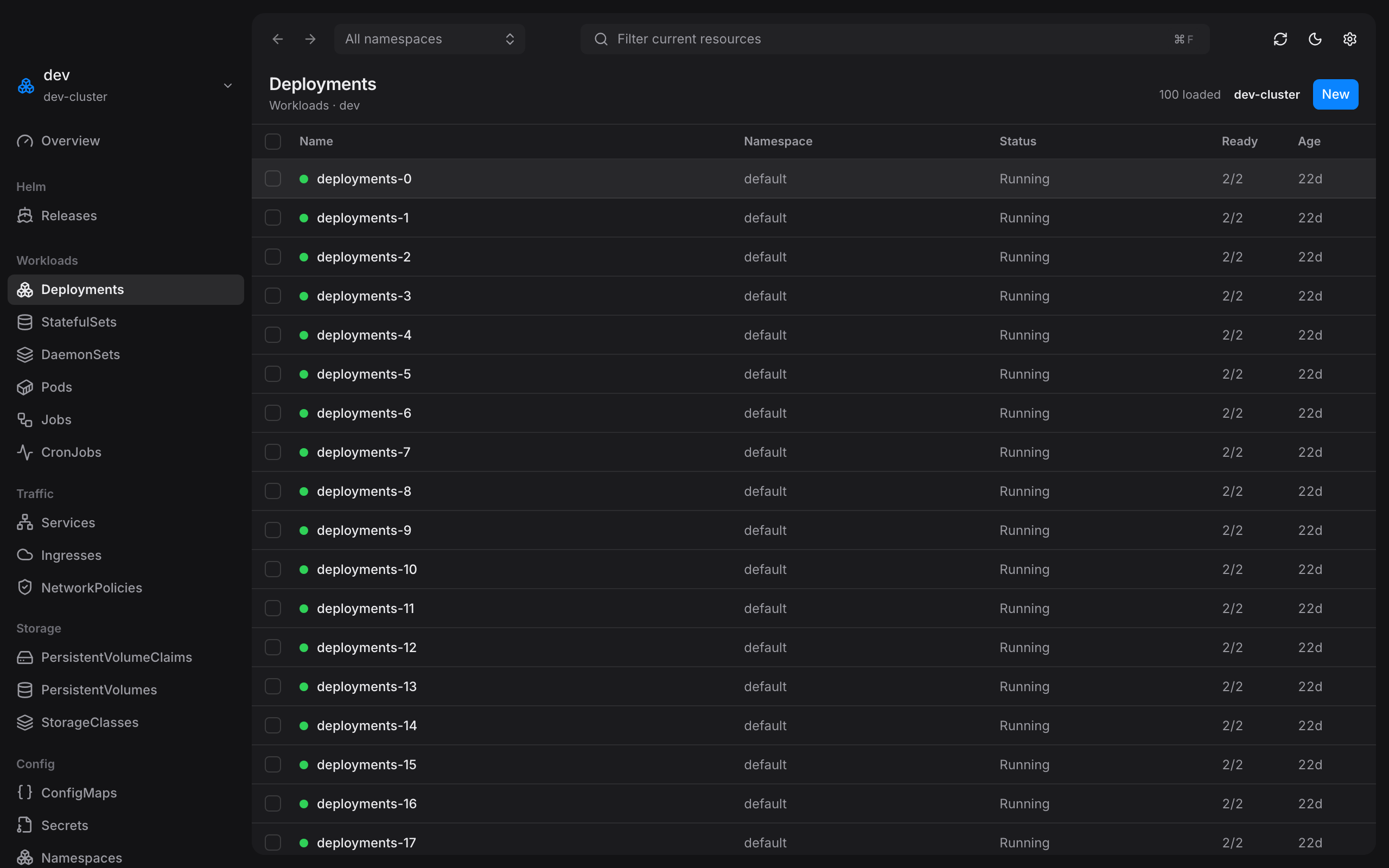
The Aster main window: a sidebar of workload kinds beside a dense Deployments table showing status, ready count, and age
Runs on your machineNo account, no sign-in, nothing uploaded. Aster talks to your clusters and to nothing else.
Uses your own accessAster can only see and do what your kubeconfig already allows. It never grants itself more.
Nothing changes by surpriseEvery change is previewed first. You see exactly what will happen, then decide.
Free and open sourceApache-2.0, auditable by anyone, with no paid tier waiting behind a feature.

Made for the work you actually do.

Find things fast, understand what you are looking at, and change it without holding your breath.

Find anything, instantly

Type a name and go. Aster searches across every kind and namespace, and keeps thousands of objects scrolling smoothly — no waiting for a giant list to load first.

Typing into Aster's filter box narrows ten thousand deployments to matching rows instantly

⌘K for everything

Switch clusters, jump to any resource, run an action. Your hands never leave the keyboard, and you never lose your place.

Opening Aster's command palette, typing to filter clusters, and switching to production

See the change before you make it

Scale something, update an image, restart a workload — Aster shows you exactly what will change, confirms nothing moved underneath you, and waits for your go-ahead.

Logs that keep up

Follow logs live from one pod or a whole workload, search the scrollback, and run a one-off command inside a container when you need a closer look.

A record of what you did

Every change you make is written to a local log, per cluster. When someone asks what happened last Tuesday, you have an answer.

Know your cluster at a glance

Open a cluster and see what is actually running — namespaces, workloads, and Helm releases on one screen. Getting oriented takes a look, not a hunt.

Helm without the terminal

Browse every release, read its values, roll one back, or remove it — with the same preview-then-confirm step as everything else.

Your place is always saved

Open a YAML tab, read the events, check what else is related — then come back to the exact row and scroll position you left behind.

⌘K to jump anywhere

Your clusters. Your machine. Your rules.

Aster is an app on your desktop, not a dashboard on a server. There is no service in the middle and no account to create — which means there is nowhere for your credentials to go.

Your machineYour cluster

That is the whole diagram. There is no Aster server.

Nothing leaves your laptop

No account, no analytics, no crash reports, no phone-home. The only thing Aster connects to is the cluster you point it at.

It can only do what you can do

Aster works with the access your kubeconfig already has. It will not create roles or permissions to hand itself more.

Secrets stay secret

Secret values are never shown on screen and can never be edited from Aster — not by you, not by accident.

Get Aster.

Free and open source. Point it at the kubeconfig you already have and you are working in under a minute.

macOS
Apple Silicon · .dmg · v1.0.2
Download for macOS
macOS
Intel · .dmg · v1.0.2
Download for macOS
Windows
x64 · .msi · v1.0.2
Download for Windows
Linux
x64 · AppImage · v1.0.2
Download for Linux

Questions, answered plainly.

Where do my credentials go?
Nowhere. Aster reads your kubeconfig to find your clusters, and that is the end of it — the file, its tokens, and anything sensitive inside stay on your machine. There is no server to send them to.
Does Aster track me?
No. No account, no analytics, no crash reporting, no update pings. The only network traffic Aster makes is to the clusters listed in your own kubeconfig.
What can Aster change in my cluster?
Six things: scale a workload, update its image, restart it, apply edited YAML, create a resource, and delete one. Each shows you a preview first and waits for you to confirm. Secrets cannot be edited at all.
Will it slow down on a big cluster?
Big clusters are the point. Aster loads one page of results at a time instead of the whole namespace, and draws only the rows on screen — so a namespace with thousands of objects scrolls like one with ten.
Which clusters does it work with?
Any cluster in your kubeconfig — managed, self-hosted, or a local kind or minikube. Aster reads the same file kubectl does and lists every context it finds.
How is this different from a web dashboard?
A dashboard lives on a server that needs its own credentials and its own permissions, and someone has to keep it patched. Aster is an app on your laptop that borrows the access you already have. Nothing to deploy, nothing to secure, nothing new to log into.